The e-reader where everything is a plugin.
Home screen, reader, menus, gestures, widgets: change any part of QuireInk with a plugin, or with a folder of text files. No fork, no rebuild.
Free and open source, calm and fast on e-ink. No account, no ads, no tracking.
Version 0.3.0, 7.2 MB, Android 8 or later · Other ways to install
Index
Every entry here is a plugin itself, and any of them can be replaced.
A
C
F
G
H
K
L
M
P
Q
R
T
X
Change anything, fork nothing
Other readers are changed by forking their code and keeping the fork alive. QuireInk is changed from outside: what you see is plugins, built with the same SDK as yours, on a small kernel.
-
On the device
The home screen, every menu, gesture, tap zone, widget and rule are arranged on the reader itself, by touch or with buttons.
Settings Customise menus Buttons and gestures Rules Home screen: hold to arrange -
A folder of text files
Translations, key maps, new defaults, fonts and styles. Copy the folder to plugins on the reader and it is there, on every device, the X4 included.
plugins/large-print/ plugin.ini i18n/*.ini keymap.ini settings.ini fonts/*.ttf -
A plugin with code
A Rust crate against quireink-sdk adds screens, actions, formats, filters or services, or replaces the home screen, the library or the reader outright.
// in your plugin's register():
r.add_screen(home())?;
r.bind_slot(
    slots::HOME,
    HOME,
    Priority::PREFERRED,
)?;
The entries
Every entry of the index, in a sentence each.
-
1
Annotations
Bookmarks and highlights at the exact place, with notes; exported as Markdown and shared with KOReader.

-
2
Calibre
Calibre sends, lists and deletes books over Wi-Fi, as with any wireless reader.

-
3
Colour
Covers and pictures in colour on colour e-ink; sixteen crisp greys everywhere else.

-
4
Formats
EPUB, FB2, Markdown, plain text, comics and PDF, with hyphenation and footnotes.

-
5
Gestures
Up for home, down for the quick panel, in from a side for back, two fingers for size.

-
6
Home screen
A grid as on a phone: clock, current book, recent books and tools, arranged by dragging.

-
7
KOReader
Reading positions, statistics and annotations travel to and from KOReader.
-
8
Library
Covers and progress, shelves by author, series and tag, a search and OPDS catalogs.
-
9
Lock
An optional PIN, pattern or password when the reader wakes up.

-
10
Memory
Built for an ESP32-C3 with 380 KB; on larger readers that means speed and battery.

-
11
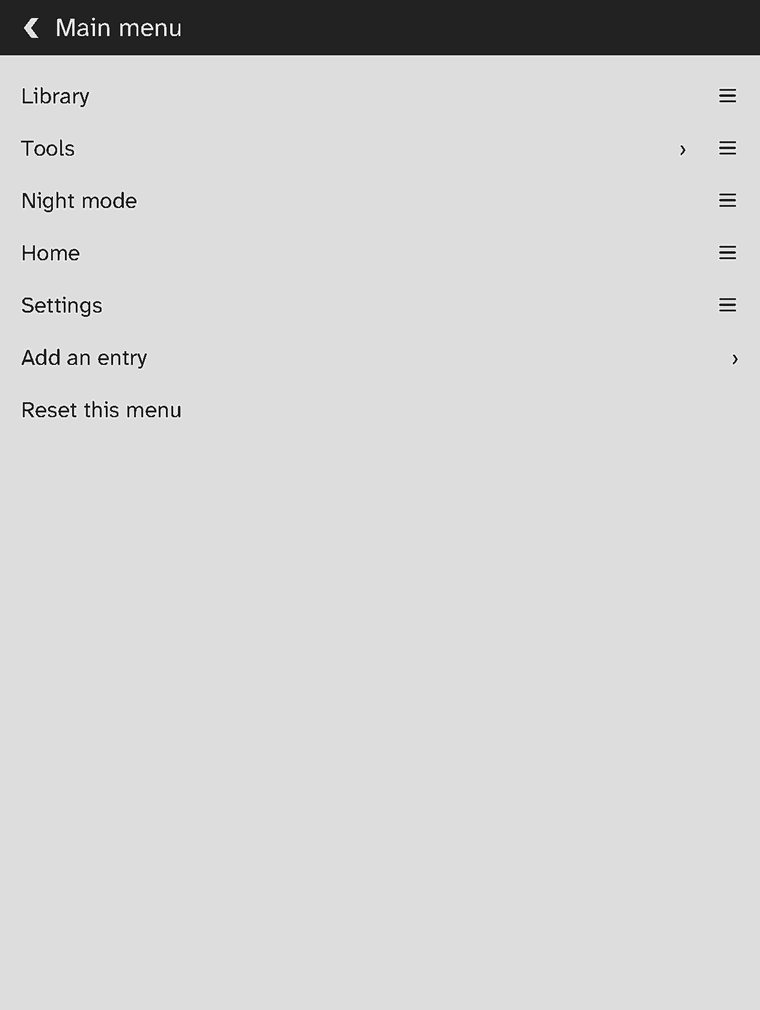
Menus
Every menu changes on the device: drag entries, remove them, add any action.
-
12
Plugins
Home, library, reader, menus and themes are plugins; a folder of text files is one too.

-
13
Quick panel
Night mode, light, rotation, a full refresh and sleep, one swipe from anywhere.

-
14
Rules
Night mode at ten, a message when the battery is low; with conditions if you like.

-
15
Tools
Swipe up on the home screen for every tool, and whatever plugins add.

-
16
Xteink X4
Firmware for the Xteink X4 is built; it comes here once it has run on a device.
Particulars
- Licence
- Apache-2.0, the source on GitHub
- Devices
- Android e-readers (tested on a Boox Go 7); the Xteink X4 to follow
- Smallest target
- ESP32-C3 with 380 KB of memory
- Formats
- EPUB, FB2, Markdown, TXT, comics, PDF
- Languages
- English and German, more by plugins
- Accounts, ads, tracking
- None, here or in the app
Get it
QuireInk runs as an app on Android e-readers today. It asks for no account and sends nothing anywhere unless you set up a sync yourself.
- Download the APK on the reader itself, or on a computer and copy it over.
- Open it to install. Android may first ask to allow installs from this source.
- On the home screen, allow “All files access” so QuireInk can read your books. If Android greys the switch out, open Settings, Apps, QuireInk and choose “Allow restricted settings” in the menu at the top.
For updates as they are released, Obtainium can follow the releases page. F-Droid is to follow.
The Xteink X4 gets its own firmware, flashed from this site in the browser once it has run on a device.